Live camera views
Watch low-latency live video from your local cameras, grouped by child, with the rooms that matter together in one view.
- Video and audio together
- Works with RTSP and ONVIF cameras
A self-hosted baby monitor
Watch and listen to your local cameras, save recordings, and review estimated sleep patterns. Nightlight runs on your own hardware and works in your browser.

Features
Watch low-latency live video from your local cameras, grouped by child, with the rooms that matter together in one view.
Listen in while you unwind. The companion mobile apps add background listening, with motion and sound notifications you can configure.
Save a recording, revisit a wake-up, and explore estimated sleep patterns. Review and correct the estimates in the morning.
Screenshots
The same app on your computer and your phone. Select a screenshot to see it at full size.
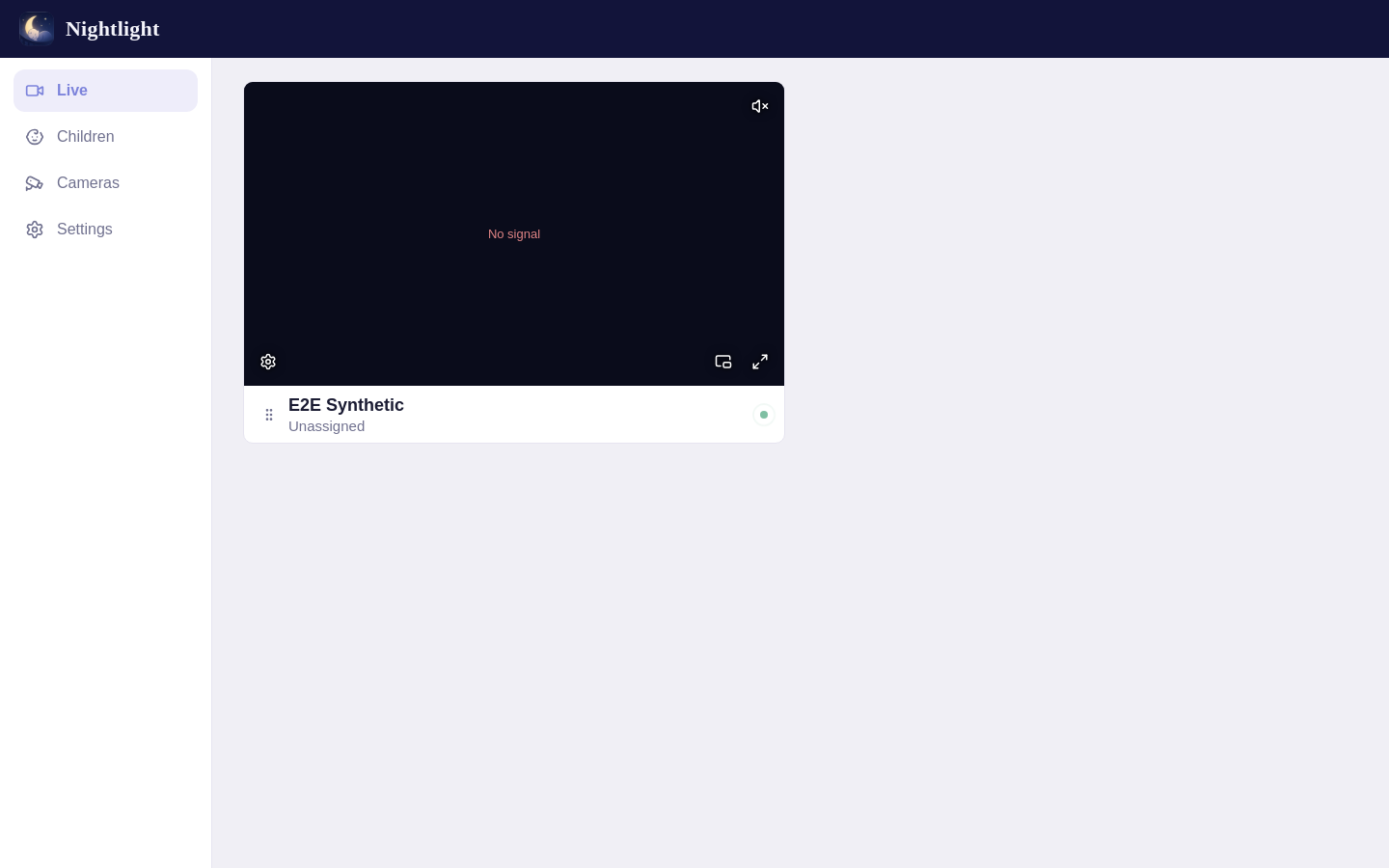
Camera dashboardEvery camera in one view, on a computer.
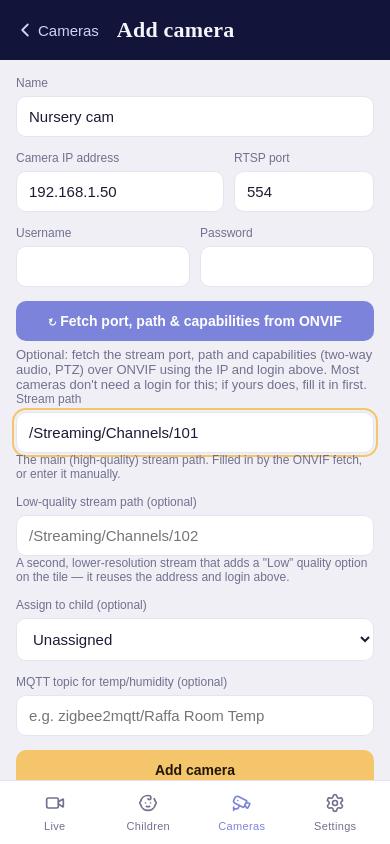
Add a cameraSet up camera connections from your phone.
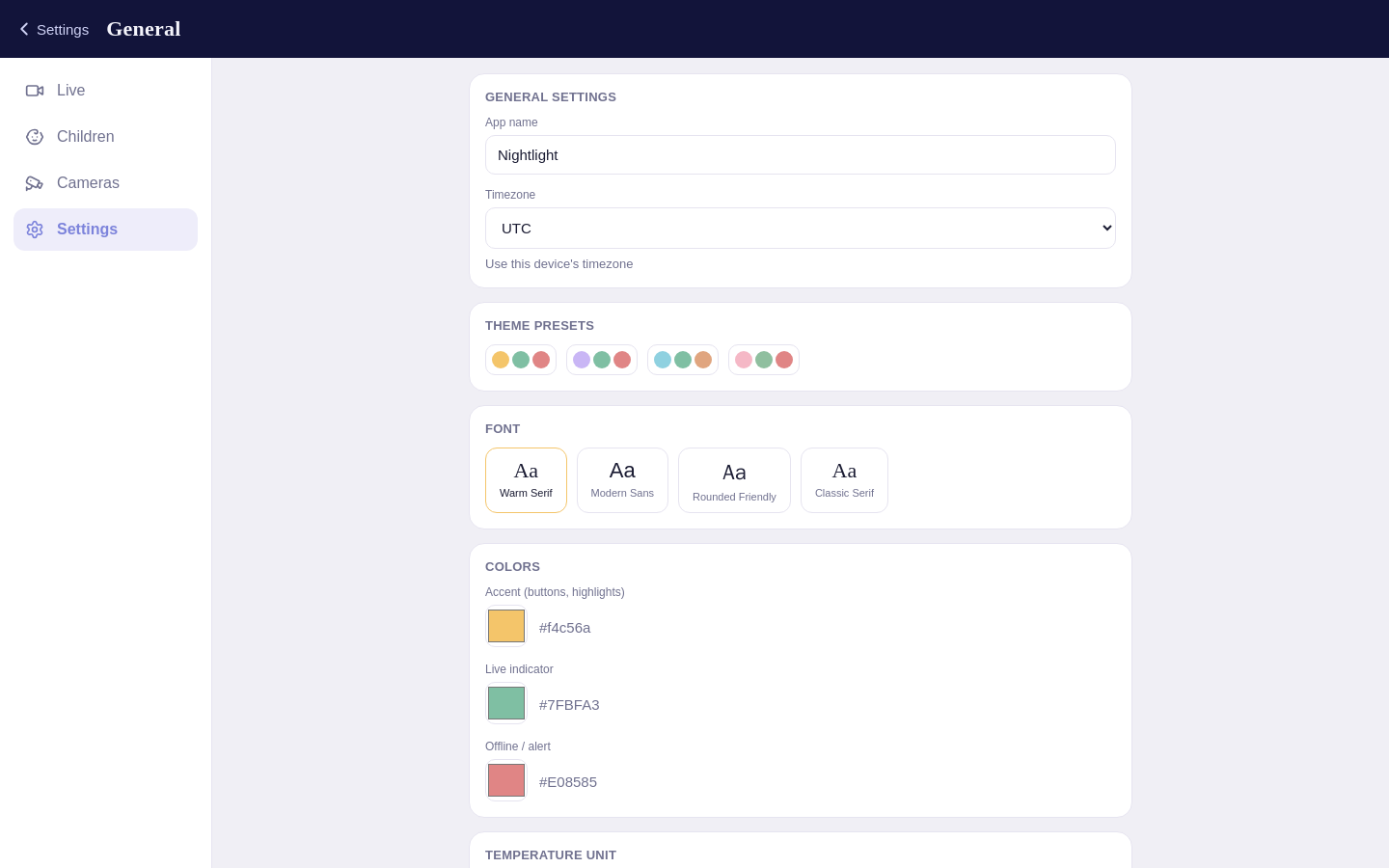
Settings and appearanceSee the settings screen
Self-hosting
Nightlight connects to the cameras you already have and brings them into your browser. The core app runs on your network, with your footage and settings stored on your server.
Read the technical overviewRemote access is optional and needs setup. Notification providers may use external services.
Your cameras

Nightlight
Your browser or phone
No Nightlight cloud account needed.
Setup
You'll need a camera with a local RTSP stream and an always-on computer that runs Docker.
It needs a local RTSP stream. ONVIF support makes adding it a little easier.
Run the container on a Linux server or Unraid box, with persistent storage for your data.
Create your account, add children and cameras, then check audio, timezone and any alerts.
Use an always-on Linux server with Docker, on the same network as your cameras; amd64 and arm64 are both supported. Replace /path/to/your/data with a folder for the database and recordings (allow room for video, and back it up), and set PUID and PGID to its owner's IDs, which id your_username shows. You can replace UTC with your timezone, such as Australia/Sydney.
docker run -d \
  --name nightlight \
  --network host \
  --restart unless-stopped \
  --log-opt max-size=10m \
  --log-opt max-file=3 \
  --stop-timeout 30 \
  -e PUID=99 \
  -e PGID=100 \
  -e TZ=UTC \
  -v /path/to/your/data:/app/data \
sauso/nightlight:latestHost networking serves the web interface on port 4000 of your server. Keep the log limits and 30-second stop timeout: they cap Docker's log growth and give recordings time to finish during shutdown.
http://<server-ip>:4000 from a device on the same network and create the admin account before anyone else can reach it.Full setup guide Nightlight is on the Community Applications store: open the Apps tab, search "nightlight" and select Install. Check the data directory (default /mnt/user/appdata/nightlight), keep host networking, then select Apply.
To install the template manually instead, run this in the Unraid terminal, then go to Docker → Add Container and pick nightlight from the Template dropdown:
mkdir -p /boot/config/plugins/dockerMan/templates-user
wget -O /boot/config/plugins/dockerMan/templates-user/my-nightlight.xml \
https://raw.githubusercontent.com/sauso/nightlight/main/unraid-template.xmlhttp://<server-ip>:4000 from a device on the same network and create the admin account before anyone else can reach it.Full setup guide You run Nightlight on your own always-on computer or server using Docker. You manage the installation, storage, updates and backups. This website is an introduction to the app; your camera dashboard runs on your own installation.
Nightlight is open source under the MIT license, with no Nightlight subscription. You provide the cameras, server and storage. Optional services, such as some notification providers, may have their own costs.
Your cameras need to expose a local RTSP stream. ONVIF can help discover stream settings and supported controls. Camera codecs and browser support vary, so check the camera guide and test your setup before depending on it.
Yes. Nightlight has a mobile-friendly web interface and can be added to your home screen. Companion Android and iOS apps offer additional native features. Background audio and notifications have platform-specific requirements; see the mobile app guide.
Local network use is the default. Remote access is possible with additional secure networking setup. Follow the remote access instructions rather than exposing an unconfigured installation to the internet.
No. Nightlight is a convenience tool and is not a substitute for adult supervision. Streams, networks and notifications can fail. Sleep insights are estimates, not medical measurements or advice.
Nightlight is free and open source. If it helps your family, you can support its development.
Donate with PayPal